
Procure to pay
From the purchase request to the payment the supplier expected.
Requests approved by the right manager, orders that chase themselves, supplier invoices booked and matched by an AI employee, and payment runs checked before anything reaches the bank. The money only leaves when a person sends it.
1 · Request
Ask, approve, order.
A purchase starts as a request from whoever needs it, or as a proposal from your stock rules, and becomes an order only after the right person agreed.
Purchase requests
An employee asks; their manager approves; the request becomes a draft purchase order with the supplier’s own prices.
Reorder rules and planning
Minimums and the bills of materials propose what to buy and what to make, every night, and Payables turns the buy proposals into draft orders.
Late orders chased
An order past its date is chased with the supplier, and the new date it gives moves the plan.

Worked by Payables
2 · Book
Supplier invoices that book themselves.
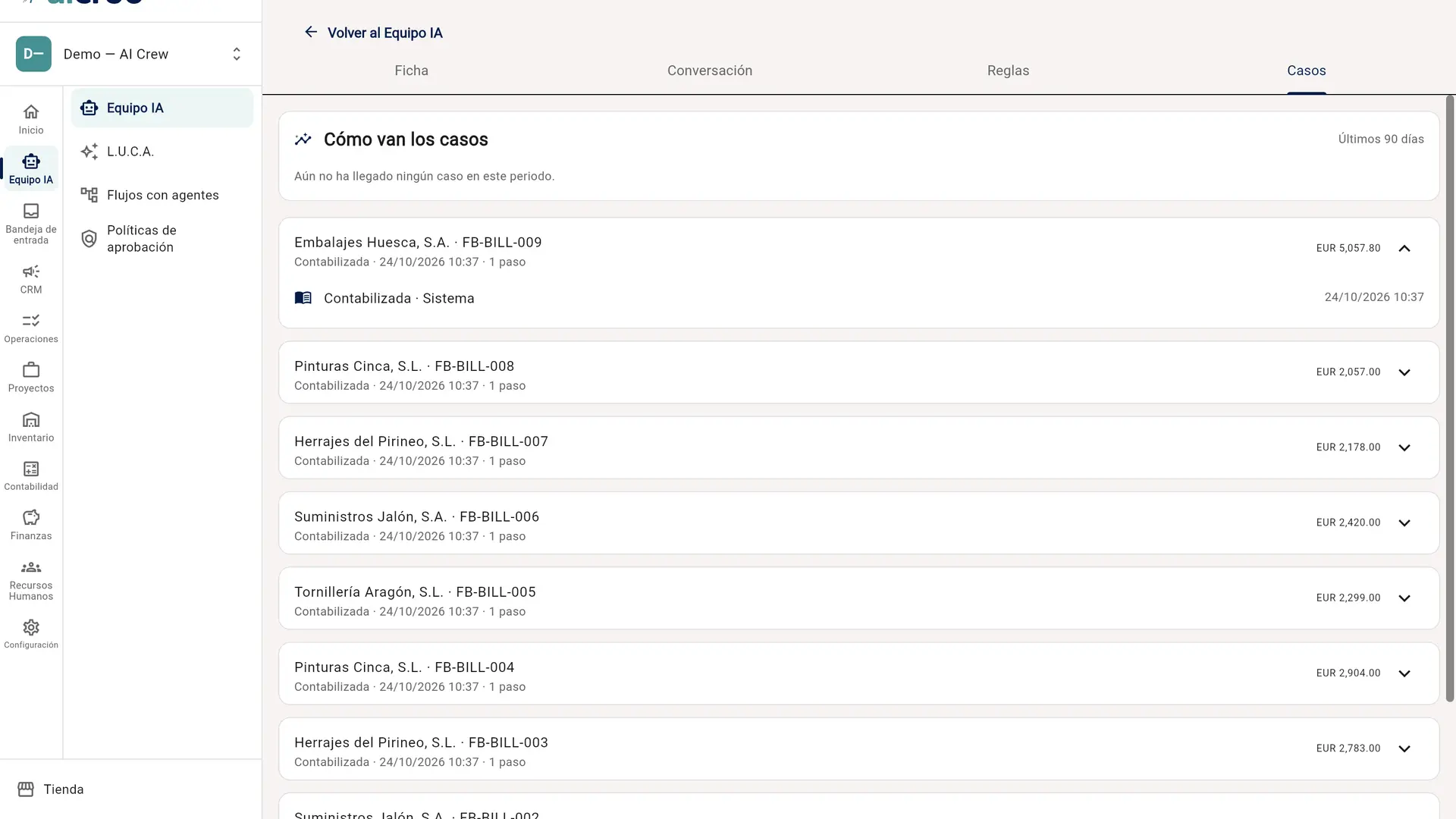
Bills arrive at the company’s own e-mail address or through the supplier portal, as Facturae or UBL files or as a scan. The Payables AI employee reads each one, codes it, matches it to its order, and books it.
Coded like last time
A scan is coded the way that supplier’s earlier posted bills were, and a likely duplicate is flagged before it is booked.
Three-way match with tolerances
Each line is compared with the order and the goods received. Set price and quantity tolerances, and a bill outside them goes to approval, whoever booked it.
No PO, no pay
Mark a supplier as requiring a purchase order, and a bill without one stops before it can be paid.
Freight and duties land on the goods
A freight or customs bill is spread over the receipt it brought in, revaluing the stock rather than sitting in an expense account.
Worked by Payables
Under control
Every booking starts behind a person’s approval, and can be approved in batches. Once its last 90 days show at least 20 matched invoices decided by a person, 95 % of them approved unchanged, you can let Payables book them on its own — within an amount and for suppliers it already knows — and every case stays in its log.
3 · Approve
Approvals that do not wait for someone to log in.
The approver gets the decision where they already are, and nothing stalls because one person is away.
From the e-mail or Teams
Approve or reject from a link in the e-mail or from the Teams card, under a ceiling the company sets.
Out of office, covered
A stand-in decides while the approver is away, and a request that sits too long is reminded and escalated rather than cancelled.
The conversation stays with it
Each approval has its own comment thread, so the question and its answer live on the record.
4 · Pay
Checked before it reaches the bank.
Payables adds what is due to a draft payment run. Before any run goes out, it is checked for the things that turn a payment into a fraud loss.
Bank details under four eyes
A change to a supplier’s bank account is confirmed by someone other than the person who asked for it, and a payment to an account changed recently is flagged on the run.
A risk check on every run
Every run is checked before it can be sent, whoever built it — recently changed bank details, an unusual amount, a subcontractor whose tax or Social Security certificate has lapsed, a sanctions match — and nothing goes until each finding is answered. Through Revolut Business, each payee’s name is also checked against the account.
Your rail, your final yes
Initiate the run from aicroo to your bank through Ponto, straight into Revolut Business, or to PayPal — or take the SEPA file. Each rail keeps the approval it asks for: the bank’s signature, a release in the Revolut app, a second person for PayPal.
The supplier knows what was paid
A remittance advice says which invoices each payment covers, by e-mail and in the supplier portal.
Under control
No AI employee sends a payment. A run goes to the bank only when a person sends it.
5 · Suppliers
Suppliers keep their own paperwork.
The supplier portal is where a supplier sees its orders and payments, sends invoices, and keeps the details and documents you need from it up to date.
Details proposed, not overwritten
A supplier proposes a new address or bank account; a person applies it, and a bank account through the four-eyes check.
Certificates that renew themselves
The tax-compliance certificate for subcontractors, the Social Security one, insurance and health-and-safety documents are uploaded by the supplier, and asked for again before they lapse.
Screened against sanctions
Suppliers are checked against the EU’s consolidated sanctions list, and a confirmed match stops the payment run.
6 · Expenses
Receipts that find their report.
Employee spending lands in the same books, with the receipt attached and the card reconciled.
Send it, done
A receipt e-mailed to the company’s expenses address, or sent to its WhatsApp number, lands on the employee’s open expense report, already read.
The missing receipt, asked for
Before a report goes to approval, HR asks the employee for the receipt an expense is missing.
Company cards, reconciled
A company credit card is reconciled like a bank account, and a supplier bill can be paid with it.

Worked by HR
Why one system
The ledger is the payables system.
Booked where it is paid
The order, the receipt, the bill, its VAT and the payment that settles it are the same books, so the match is a query, not a reconciliation between two tools.
The fraud check is not optional
Bank-detail changes and payment runs are checked in the database, for every run, whoever built it — not by a setting someone can forget to turn on.
Spanish suppliers, Spanish paperwork
Facturae, SII, withholding on professional invoices and the subcontractor certificates are part of the same flow.
See a supplier invoice book itself.
Book a demo and bring the supplier invoices that take your team the longest.